Affiliate disclosure: Print3D may earn a commission from qualifying purchases made through the Amazon links in this article, at no extra cost to you.
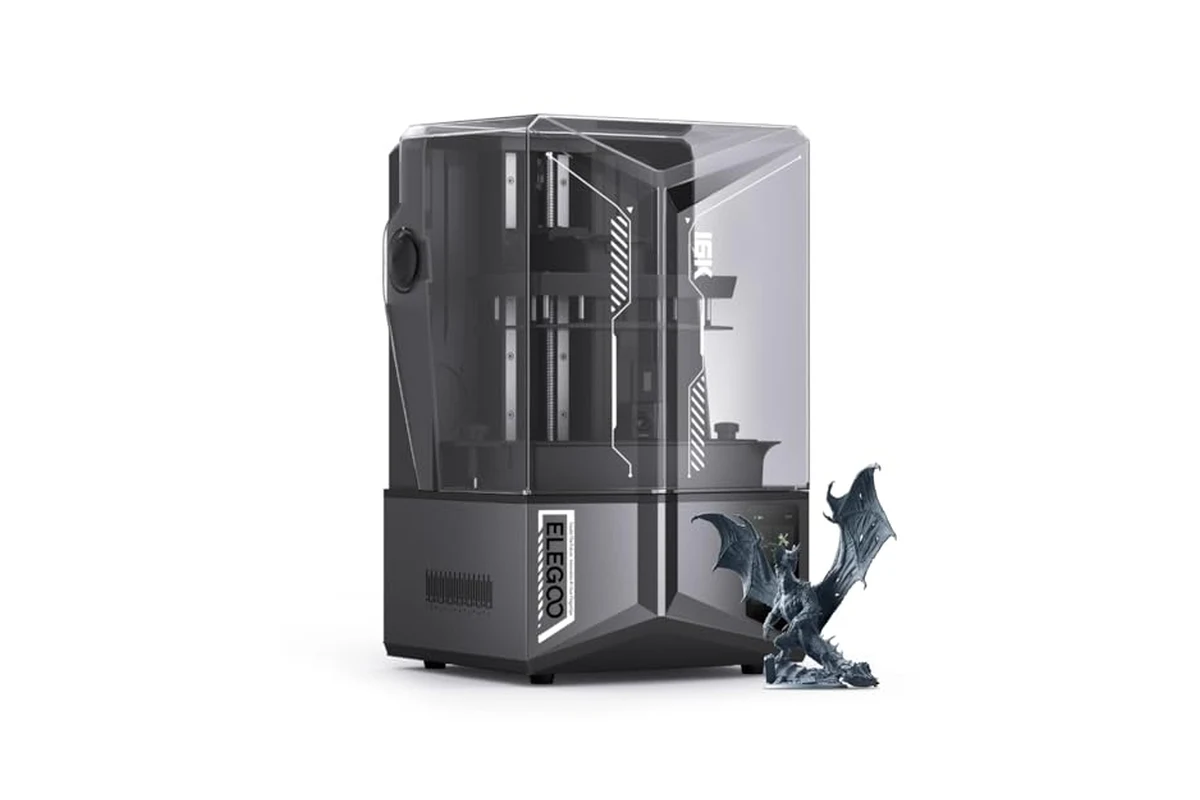
If you are the kind of maker who prints miniatures, dental models, jewelry patterns, or functional prototypes that need a near-invisible layer line, the ELEGOO Saturn 4 Ultra 16K is aimed squarely at you. This is not a first printer for someone who has never handled resin, and it is not a machine for printing large functional brackets in PLA. It is a high-resolution MSLA resin printer with a 10-inch class LCD, a heated vat, an AI camera, and automatic leveling. The pitch is simple: spend less time fiddling with the machine and more time printing detailed parts. Whether that pitch holds up depends on what you print and how much you value convenience over price.
Key specs
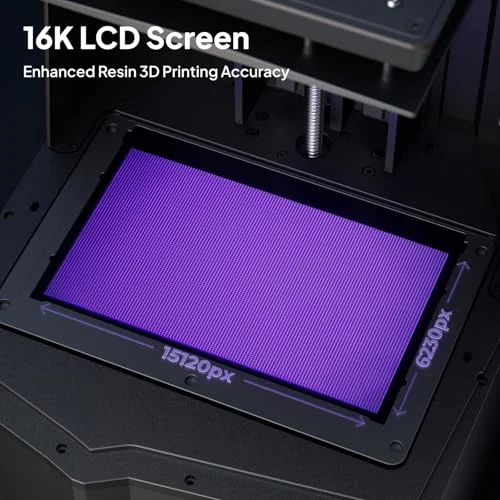
- 16K mono LCD resolution (approximately 15120 x 6230 pixels across the build area, depending on panel revision)
- Build volume: roughly 218 x 123 x 220 mm (check the current listing for exact dimensions, as ELEGOO has shipped minor revisions)
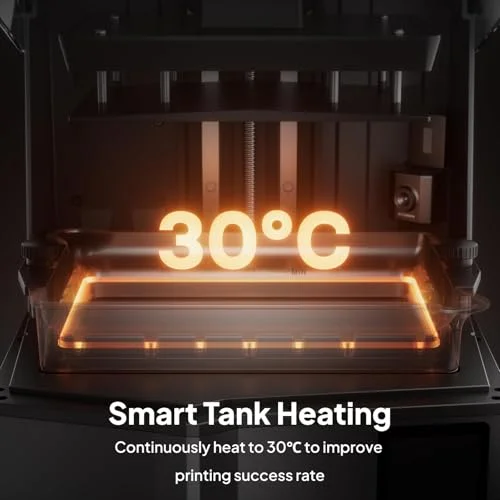
- Smart tank heating system that maintains resin at 30 °C
- AI camera with built-in chamber light for monitoring and time-lapse capture
- Automatic leveling with no manual adjustment required
- Tilt release mechanism for faster peeling, rated up to 150 mm/h print speed
- Mechanical sensor for residue detection, resin shortage alarms, and leveling failure alerts
- Air filtration and a light-blocking cover (confirm filter type on the product page)
- Wi-Fi connectivity and USB drive support
Print quality and reliability
The headline number here is 16K, and it is worth unpacking what that actually means in print. On a 10-inch panel, 16K resolution translates to pixel sizes in the 14 to 19 micron range depending on the exact panel. In practice, that is fine enough that you stop seeing individual pixels on most models and start seeing the limits of your resin and your exposure settings instead. Antialiasing in the slicer smooths the remaining stair-stepping on curved surfaces. For miniature painters, the practical result is that facial features, chainmail, and thin weapons come out clean without the sanding and priming work that lower-resolution machines demand.
The tilt release mechanism is the more interesting engineering choice. Instead of the build plate lifting straight up and peeling the print off the FEP in one motion, the vat tilts to separate the layer gradually. This reduces the peak peel force, which is the main cause of layer separation and support failures on large cross-section prints. In real terms, it means you can print heavier, denser models with fewer supports than you would need on a conventional lift-and-peel machine, and the failure rate on hollowed-out large parts drops noticeably. The trade-off is more moving parts in the vat assembly, which is a long-term wear item to keep an eye on.
The heated vat is the feature that matters most if you print in a cold garage or basement. Resin viscosity changes with temperature, and cold resin is thick resin. Thick resin does not flow into fine details quickly, and it does not drain off the model cleanly during the lift phase. ELEGOO holds the vat at 30 °C, which is within the comfortable range for most standard and engineering resins. This is not a marketing gimmick; it is the difference between a print that succeeds on the first try and one that fails three hours in because the resin was too cold to release properly. If your print space stays above 25 °C year-round, you will notice this feature less. If it does not, it is the reason to buy this machine over a cheaper alternative.
The AI camera is the feature to treat with the most skepticism. ELEGOO’s own listing notes that detection results vary with environment, models, and resin types. In practice, the camera is useful as a remote monitor: you can check on a print from your phone and see whether the model is still on the plate. The chamber light makes that work at night. The time-lapse feature is a nice bonus for documenting prints. The automated failure detection, though, is best treated as a secondary check rather than a primary safeguard. It will catch obvious failures like an empty build plate, but it will not reliably catch subtle support failures or partial delamination. Do not rely on it to save a 12-hour print.
Auto-leveling is the feature that will matter most to new resin users. Manual leveling on a resin printer is not difficult, but it is fiddly, and a poorly leveled plate is one of the most common causes of failed first layers. ELEGOO’s system removes that variable. The mechanical sensor for residue detection is also genuinely useful: it alerts you if cured resin or debris is sitting in the vat, which is the most common way people destroy an LCD screen. That single feature can save you the cost of a replacement panel.
Where the machine asks for patience is in the slicer workflow. You still need to dial in exposure times for your specific resin, and the 16K panel is less forgiving of overexposure than a lower-resolution screen because the light bleed between pixels is more visible at this scale. Expect to run a calibration print (like the Cones of Calibration or a similar exposure test) before you trust the machine on a detailed model. Once dialed in, the repeatability is good, but the first hour of setup is not plug-and-play in the way the marketing suggests.
Who this is for
This printer fits three kinds of users well. The first is the miniature and tabletop painter who wants crisp detail without post-processing every model. The second is the small-batch producer who prints jewelry patterns, dental models, or figurines and needs consistent results across a run. The third is the maker who has owned a resin printer before and wants to upgrade from a 4K or 6K machine without moving to a larger format. All three groups will benefit from the heated vat, the tilt release, and the higher resolution.
Who should skip it
Skip this machine if you are brand new to resin printing and not sure you will stick with it. The resin workflow involves gloves, ventilation, IPA washing, and UV curing, and that is true of every resin printer. Starting on a cheaper 4K or 6K machine will teach you the same lessons for less money, and you can upgrade later once you know resin is for you. Also skip it if you need to print large functional parts in engineering materials. The build volume is respectable for a detail-focused machine, but it is not a large-format printer, and the tilt release mechanism is designed around detail work rather than thick structural parts. Finally, skip it if you print exclusively in a warm room and do not care about resolution beyond what a 6K machine offers. You would be paying for features you will not use.
Alternatives to consider
If you want similar detail at a lower price, look at the previous generation of Saturn printers or the Mars series. They will not match the 16K panel or the heated vat, but they will produce very good miniatures with a bit more tuning. If you need a larger build volume and are willing to trade some resolution, the Jupiter series or a comparable large-format resin printer is the direction to look. If you are not committed to resin at all and your parts are functional rather than detailed, a filament printer like the Bambu Lab P1S or a Prusa MK4 will be more practical, cheaper to run, and far less messy. Resin is the right choice when surface detail is the priority; filament is the right choice when strength, size, and low hassle are the priority.
Setup and learning curve
Setup is faster than most resin printers because of the auto-leveling, but it is not zero-effort. You still need to remove the vat and build plate for shipping, install the vat, fill it with resin, and run a test print. Budget an hour for the first setup and another hour for exposure calibration. The learning curve after that is mostly about supports and orientation. The tilt release gives you more margin for error on heavy cross-sections, but you still need to hollow large models and add drain holes, or you will get suction cups that fail or explode. The slicer you use matters too; ELEGOO’s own slicer is fine, but many users prefer Lychee or Chitubox for their support generation and hollowing tools.
Before buying, check three things against your actual workflow. First, build size: measure the largest model you plan to print and confirm it fits with supports and a base. Second, ventilation: this printer has a filter, but resin fumes are still present, and you should plan to print in a space with airflow or an enclosure. Third, material compatibility: the heated vat helps with standard and engineering resins, but check the temperature range your specific resin needs. Some high-viscosity engineering resins want warmer than 30 °C, and some flexible resins behave differently when heated. The machine is a strong fit for detail work in a controlled space, and a poor fit for someone who wants to print structural parts in a cold garage without ventilation. Check the current price on Amazon before deciding; it moves around, and the value proposition depends on what you are comparing it against.
Pros and cons
- + 16K resolution delivers genuinely clean detail on miniatures and small functional parts
- + Heated vat maintains resin at 30 °C, which noticeably reduces cold-weather print failures
- + Auto-leveling and residue detection lower the barrier for newer resin users and protect the LCD
- – AI failure detection is best treated as a remote monitor, not a reliable safeguard
- – Requires exposure calibration and support tuning; not truly plug-and-play for first-time resin users
- – Tilt release mechanism adds moving parts that may need long-term maintenance
Verdict: The Saturn 4 Ultra 16K is a well-engineered detail machine for makers who already know resin and want fewer failed prints, but beginners should start cheaper and upgrade once they are committed.