Affiliate disclosure: Print3D may earn a commission from qualifying purchases made through the Amazon links in this article, at no extra cost to you.
Where to buy
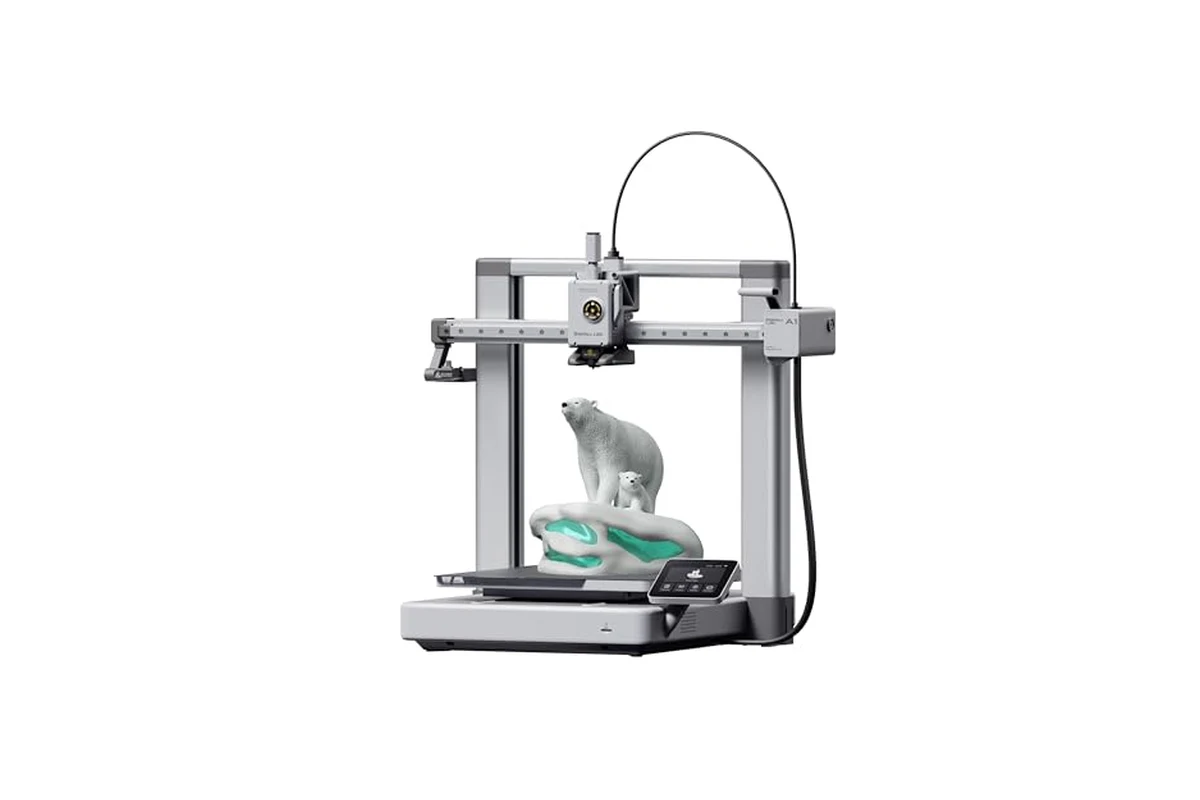
Bambu Lab A1 3D Printer, Ready-to-Use FDM 3D Printer for Beginners and Kids
Bambu Lab A1: A Fast, Friendly FDM Printer for Newcomers
If you have been circling the 3D printing hobby for a while, the Bambu Lab A1 is one of those machines that keeps coming up. It is an FDM printer aimed at beginners and kids, but the spec sheet reads like something aimed at people who already know their way around a slicer. The headline numbers are a 10,000 mm/s² acceleration, full-auto calibration, active flow rate compensation, and a quiet motor noise canceling system. There is also optional multi-color printing through the AMS lite, which is sold separately unless you buy the A1 Combo.
This guide walks through what the A1 actually offers, who it makes sense for, who should look elsewhere, and what to check before you click buy. No hype, no invented ratings, just the practical stuff.
Key specs
- Acceleration: Up to 10,000 mm/s², which is the number that drives the A1’s fast print times.
- Multi-color printing: Supported with the AMS lite. The AMS lite is not included with the base A1; you need the A1 Combo or to buy the AMS lite separately.
- Full-auto calibration: The printer handles Z-offset, bed leveling, and other calibration steps automatically.
- Active flow rate compensation: The firmware adjusts extrusion based on readings to keep prints consistent.
- User interface: A simplified touchscreen and a 1-Clip quick swap nozzle for easier maintenance.
- Noise: Active motor noise canceling is listed, which matters if the printer lives in a shared room.
- Type: FDM (fused deposition modeling), the standard filament-based printing method.
Who the A1 is for
The A1 is positioned for beginners and kids, and that framing is mostly accurate. If you have never owned a 3D printer, the usual pain points are bed leveling, Z-offset, and figuring out why a print failed. The A1’s full-auto calibration removes a lot of that. You still need to load filament, slice a model, and send it to the printer, but the mechanical setup is largely handled for you. That makes it a reasonable first machine for a teenager who is comfortable with a computer, or for an adult who wants to print without turning the hobby into a tuning project.
It is also a good fit for households where the printer will sit on a desk or in a living area. The active motor noise canceling is not a gimmick if you have ever tried to work next to a printer that whines through a six-hour job. Quieter operation means you can leave it running during the day without it dominating the room.
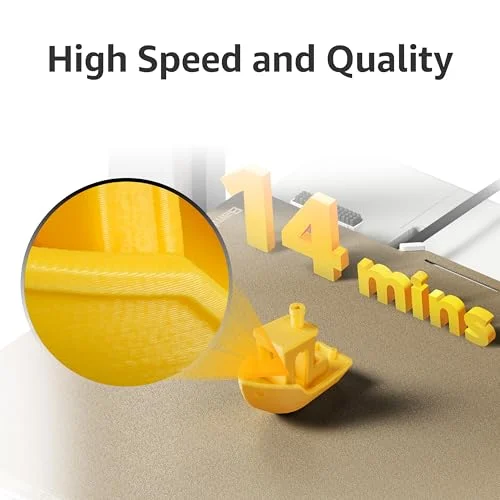
The 10,000 mm/s² acceleration is the other big draw. Faster acceleration means the print head reaches speed sooner and changes direction more quickly, which shortens print times on models with lots of small moves. If you print functional parts, brackets, or small toys regularly, the speed adds up over a week of use.
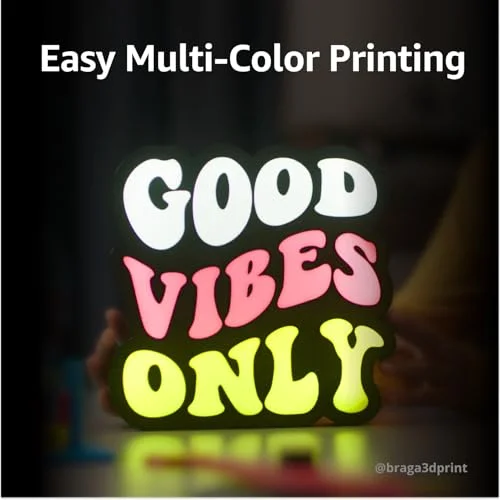
Multi-color is the optional extra that changes the pitch. With the AMS lite, you can print models with several filament colors in one job. That is genuinely useful for signs, decorative pieces, and toys where color is part of the design. But it is an add-on, not a default feature, and it adds cost and complexity.
Who the A1 is not for
If you want to print large objects in one piece, the A1 is not the right class of machine. Its build volume is sized for small to medium prints, not big cosplay armor panels or large functional prototypes. You can split models and glue them, but if your main goal is big single-piece prints, look at a larger-format printer instead.
If you want to print engineering filaments that need a heated chamber or very high nozzle temperatures, the A1 is not built for that. It is an open-frame FDM printer aimed at common materials like PLA, PETG, and similar. Enclosed printers with higher temperature capabilities are the better path for advanced materials.
If you enjoy tinkering and upgrading, the A1’s closed, appliance-like approach may feel limiting. It is designed to just work, not to be a platform for constant modification. Some hobbyists want that; others want a project. Know which one you are.
Finally, if you are on a tight budget and multi-color is not important, the base A1 without the AMS lite is the sensible configuration. Do not buy the combo just because it sounds better if you only ever print in one color.
Alternatives to consider
Before committing, it is worth comparing a few other approaches.
Other beginner-friendly enclosed FDM printers. If you need to print in a room with pets, kids, or drafts, an enclosed printer keeps the print area protected and can handle a slightly wider range of materials. The trade-off is usually a higher price and a larger footprint. If your printing space is a garage or a workshop, this may not matter. If it is a bedroom, it might.
Resin printers. If your main interest is miniatures, jewelry, or very fine detail, a resin printer can beat FDM on surface quality. The catch is post-processing: you need gloves, a wash and cure setup, and ventilation. Resin is not a casual kitchen-table hobby. For toys and functional parts, FDM like the A1 is usually the more practical choice.
A larger-format FDM printer. If you already know you want to print big parts, a bigger bed saves you from splitting models. The trade-off is cost, space, and often more setup and tuning. For a first printer, starting smaller and upgrading later is a common and reasonable path.
It is also worth checking the current price on Amazon for the A1 and the A1 Combo, since pricing and bundle availability change. Do not assume the combo is always the better deal; sometimes buying the base printer and adding the AMS lite later makes more sense if you are unsure about multi-color.
What to check before buying
Build volume vs. your projects. Measure the largest thing you realistically want to print. If it is bigger than the A1’s bed, you will be splitting models. That is not a dealbreaker, but it changes your workflow. Think about the parts you actually plan to make in the first month, not the one giant print you imagine someday.
AMS lite or not. The base A1 does not include the AMS lite. If multi-color is a core reason you are buying, get the A1 Combo or plan to buy the AMS lite separately. If you mostly print in one color, skip it and save the money and the desk space. Multi-color also means more filament changes, more waste in purge towers, and more things to keep clean.
Noise and placement. Active motor noise canceling helps, but the printer still makes noise. If it will sit in a shared bedroom or office, think about a stable surface and whether you need an enclosure or a dedicated table. Vibration matters for print quality, so a wobbly desk is a bad home for any fast printer.
Filament choice. The A1 is aimed at common materials. PLA is the easiest starting point for beginners and kids. PETG is a step up for parts that need a bit more durability. Check what the manufacturer lists as supported materials and start with one roll of PLA to learn the workflow before buying a shelf of filament.
Software and workflow. Bambu Lab printers use their own slicer ecosystem. If you are already comfortable with another slicer, expect a small learning curve. The flip side is that the integrated workflow is part of why the printer is easy to use. Check that the slicer runs on your computer and that you are comfortable with the account and cloud features if you plan to use them.
Maintenance and parts. The 1-Clip quick swap nozzle is a nice touch for maintenance, but nozzles are consumables. Check the price and availability of replacement nozzles and other common parts before you buy, so a worn nozzle does not sideline the printer for a week.
Kids and supervision. The A1 is marketed for beginners and kids, but a 3D printer has hot parts and moving parts. If a child will use it, plan for adult supervision, a stable location, and clear rules about not reaching into the machine while it runs. Follow the manufacturer’s safety guidance.
When it is the right call. The A1 is a strong choice if you want a first FDM printer that is fast, relatively quiet, and largely self-calibrating, and if your projects fit a small-to-medium build volume. It is also a good fit if you want the option of multi-color later without committing to it upfront.
When it is not. Skip it if you need a large build volume, if you need an enclosed printer for advanced materials or a drafty room, or if you want a machine to tinker with and upgrade constantly. In those cases, a different class of printer will serve you better.
Overall, the A1’s appeal is that it lowers the barrier to entry without stripping out speed. The automatic calibration and flow compensation are the features that matter most for beginners, because they reduce the trial-and-error that makes people quit the hobby. The multi-color option is a bonus, not a requirement. Check the current price on Amazon, decide whether you want the combo or the base unit, and make sure the build volume matches what you actually want to print.
Pros and cons
- + Full-auto calibration and active flow rate compensation reduce setup frustration for beginners
- + High 10,000 mm/s² acceleration can shorten print times on detailed or small-part jobs
- + Active motor noise canceling makes it more livable in a shared room
- + 1-Clip quick swap nozzle simplifies maintenance
- + Optional AMS lite adds multi-color printing if you want it
- – AMS lite is not included with the base A1, so multi-color costs extra
- – Small-to-medium build volume limits large single-piece prints
- – Open-frame design is not ideal for advanced materials or drafty spaces
- – Closed ecosystem may not appeal to tinkerers who want to modify everything
Verdict: The Bambu Lab A1 is a sensible first FDM printer for beginners and families who want speed and automatic calibration without a steep learning curve. Just confirm the build volume fits your projects and decide upfront whether you need the AMS lite for multi-color.
Ready to buy
Bambu Lab A1 3D Printer, Ready-to-Use FDM 3D Printer for Beginners and Kids