Affiliate disclosure: Print3D may earn a commission from qualifying purchases made through the Amazon links in this article, at no extra cost to you.
Where to buy
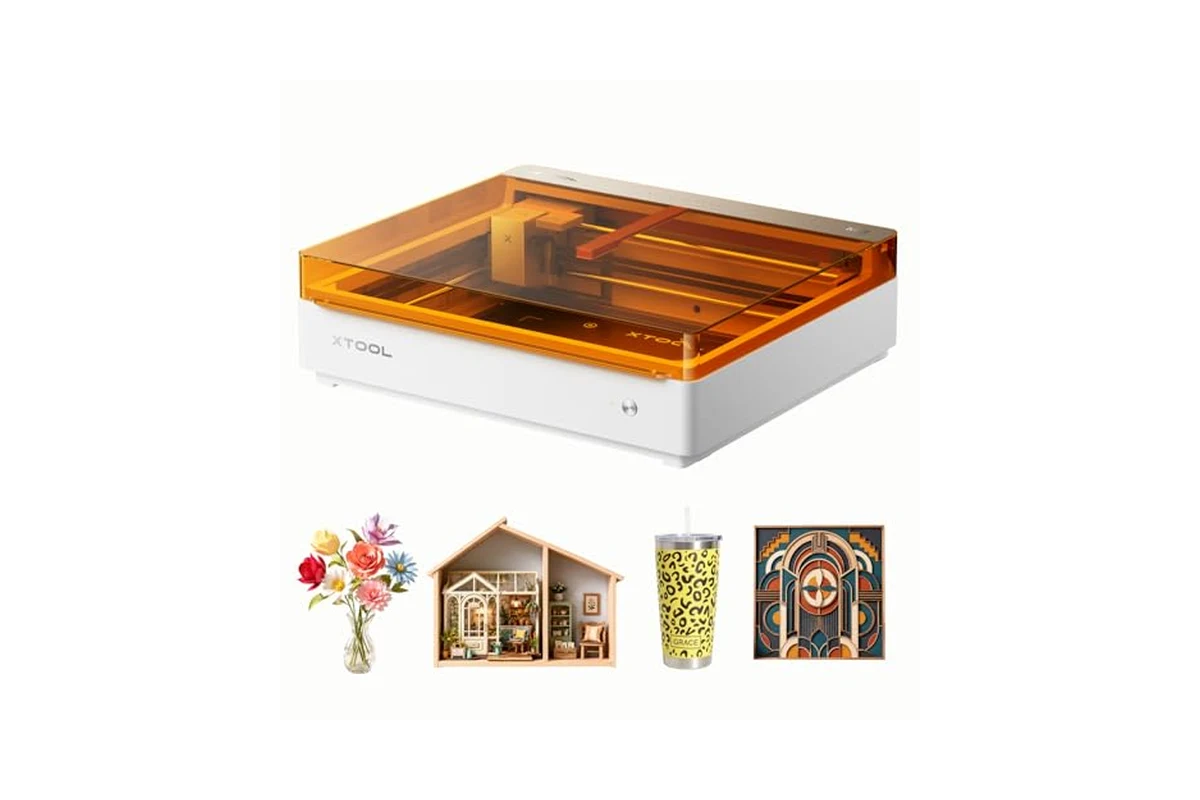
xTool M2 10W Laser Engraver, Built-in Dual Cameras, Class 1 Enclosed Safe Laser Engraving
The xTool M2 10W is aimed at a specific kind of maker: someone who wants to move beyond a bare diode laser on a desk and into a closed, camera-assisted workflow that handles engraving and cutting on wood, leather, felt, fabric, and paper without a steep setup ritual. It is not a 60W CO2 replacement for a production shop, and it is not a toy. It sits in the home-crafter and side-hustle bracket, where the priorities are repeatable placement, safe enclosed operation, and software that does not require a LightBurn veteran to get a clean result.
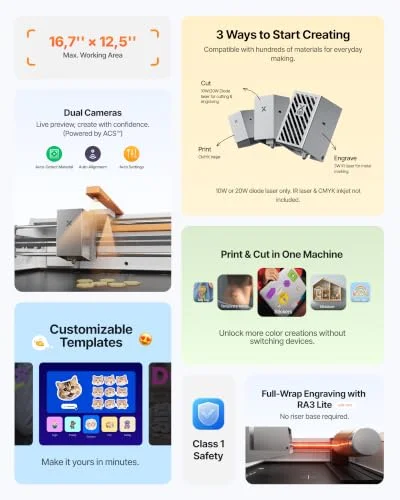
What separates the M2 from the pile of open-frame 10W diodes is the dual-camera system and the enclosed Class 1 design. The cameras are not a gimmick if you do batch work or place designs on pre-cut blanks. The enclosure matters if the machine lives in a room with other people. The 10W diode module is the baseline power plant here, and the optional CMYK inkjet module and 3W IR laser are sold separately, which changes the value math depending on what you actually plan to make.
Key specs
- 10W diode laser module (10,000 mW output), included
- Class 1 enclosed design with real-time monitoring
- Built-in dual cameras for workspace preview and placement
- ACS vision plus motion control for Place & Go positioning
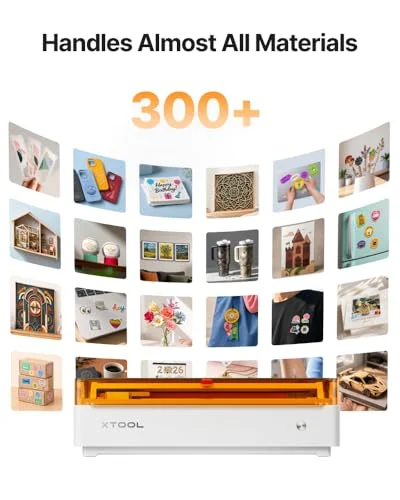
- Compatible materials: wood, leather, felt, fabric, paper, cardstock, and 300+ others with add-on modules
- Optional CMYK inkjet module (sold separately) for full-color printing and print-to-cut workflow
- Optional 3W IR laser (sold separately) for fine engraving on metal and plastic
- Optional RA3 Lite rotary (sold separately) for cylindrical work
- xTool Studio software with templates and integrated AI image generator
- Standalone M2 does not include the inkjet module or rotary
Still deciding?
xTool M2 10W Laser Engraver, Built-in Dual Cameras, Class 1 Enclosed Safe Laser Engraving
Print quality and reliability
A 10W diode is a known quantity. On 3mm basswood ply, expect clean through-cuts at moderate speed with a single pass if the focus is set correctly. On 5mm ply, you are looking at multiple passes, and the cut edge will show more char than a CO2 would produce. That is not a defect of the M2 specifically; it is the physics of a 10W diode at 455nm. Where the M2 earns its keep is consistency. The enclosed frame and the camera-assisted positioning reduce the two failure modes that waste the most material on open-frame machines: misaligned origin points and inconsistent focus height.
Engraving quality on leather and felt is where this machine feels most at home. The 10W module has enough power to mark vegetable-tanned leather deeply without burning through, and the air assist (if you add it) keeps the lens cleaner on longer runs. On fabric and paper, the limiting factor is usually the material itself, not the laser. Felt can melt rather than char if you push power too high, so the software presets in xTool Studio are genuinely useful here. They are not perfect, but they give you a starting point that is closer than guessing.
The dual cameras are the headline feature, and they mostly deliver. The overhead camera gives you a live workspace view in xTool Studio, and the second camera helps with depth and alignment on thicker stock. In practice, Place & Go works well for repeating a design across a sheet of pre-cut blanks. You drop the blanks in, the camera finds them, and the software maps the design to each one. It is not flawless. Glossy or highly reflective materials confuse the vision system, and very dark materials can make the preview hard to read. But for the common case of light-colored wood and leather, the accuracy is good enough that you stop measuring and start trusting the preview.
Reliability over time comes down to three things: lens cleanliness, belt tension, and firmware. The M2 is a closed-loop-ish system in the sense that the ACS vision and motion control work together, but it is still a belt-driven diode machine. Check belt tension after the first few hours of cutting, and keep the lens clean. The enclosed design keeps dust and smoke away from the optics better than an open frame, but it does not eliminate the need for maintenance. If you cut a lot of leather or felt, expect to clean the lens more often than you would with plywood.
The Class 1 rating is worth taking literally. The enclosure is interlocked, and the real-time monitoring is there to catch flame events. That does not mean you can walk away from a cut. It means the machine is safe to operate in a home without everyone in the room needing goggles. That is a meaningful difference for a hobbyist who does not have a dedicated workshop.
Who this is for
This machine fits the maker who wants a closed, camera-assisted workflow for engraving and light cutting on wood, leather, felt, fabric, and paper, and who values placement accuracy over raw cutting power. If you sell personalized gifts, make custom patches, or produce small batches of engraved blanks, the dual-camera system saves real time. If you are new to lasers and want a machine that will not burn your house down while you learn, the Class 1 enclosure is a legitimate reason to choose the M2 over a cheaper open-frame 10W.
It also fits the maker who wants a path to grow. The optional CMYK inkjet module turns the M2 into a hybrid print-and-cut machine, which is a different capability than most diode lasers offer. The optional 3W IR module opens up metal and plastic marking. If you are not sure whether you will ever use those add-ons, buy the standalone and treat them as future upgrades rather than paying for capability you will not use.
Who should skip it
Skip the M2 if your primary work is cutting thick material. A 10W diode will cut 3mm ply and thinner, but it is slow on anything thicker, and the edge quality will not match a CO2. If you need to cut 6mm and up regularly, a 40W or 60W CO2 is the right tool, even if it costs more and takes up more space.
Skip it if you already own a 10W diode and a camera system. The M2 is an upgrade in enclosure and integration, but it is not a jump in cutting capability. The camera workflow is better than most DIY camera setups, but if your current machine is dialed in, the gain may not justify the cost.
Skip it if you need to engrave bare metal without the IR module. The 10W diode will mark some coated metals, but it will not engrave stainless or aluminum. The 3W IR module is the answer there, and it is sold separately, so factor that into the budget if metal is a core use case.
Alternatives to consider
At this price point, the most direct alternative is a 10W or 20W open-frame diode with a separate enclosure. You give up the integrated dual cameras and the Class 1 certification, but you can often get more power for the same money. The trade-off is that you will spend more time on alignment and more money on a decent enclosure and ventilation if you want comparable safety.
Another route is a 40W CO2 laser, which is a different class of machine. It cuts faster and handles thicker material, and it engraves glass and acrylic more cleanly. The downsides are size, weight, ventilation requirements, and a steeper learning curve. If you have the space and the budget, a CO2 will do more, but it is not a casual purchase.
Finally, consider a dedicated craft cutter like a Cricut or Silhouette if your work is mostly paper, vinyl, and fabric. Those machines do not engrave wood or leather, but they are faster and cheaper for cut-only work. The M2 makes more sense if you want one machine that can engrave and cut across a wider material range, and if the camera workflow is a priority.
Setup, learning curve, and what to check before buying
Setup is straightforward. The machine arrives mostly assembled, and the first-run calibration in xTool Studio walks you through camera alignment and focus. Budget an hour for the initial setup, and do not skip the camera calibration. A poorly calibrated camera will make Place & Go feel unreliable, and that is the feature you are paying for.
The learning curve is mostly in the software. xTool Studio is beginner-friendly, with templates and an AI image generator, but you still need to understand power and speed settings for different materials. Start with the presets, then run small test grids on scrap material before committing to a final piece. The machine is forgiving, but it is not magic. Leather and felt in particular will teach you quickly that less power and more passes often beats one aggressive pass.
Before buying, check three things. First, bed size. The M2 has a defined work area, and if your projects are larger, you will need to tile or choose a different machine. Second, ventilation. The enclosure filters some smoke, but you still need a plan for exhaust, especially if you cut leather or felt regularly. Third, material compatibility. The 10W diode handles wood, leather, felt, fabric, and paper well. It does not handle clear acrylic, bare metal, or glass without the right module or a marking agent. If your material list is heavy on those, price out the add-ons before you commit.
Check the current price on Amazon, since it moves with bundles and promotions. The standalone M2 is the right buy if you want the enclosed camera workflow and plan to add modules later. If you need the inkjet module or the rotary from day one, compare the bundle pricing against buying separately.
Pros and cons
- + Dual cameras and Place & Go make repeat placement accurate without manual measuring
- + Class 1 enclosed design is genuinely safer for home use than open-frame diodes
- + xTool Studio is beginner-friendly with templates and material presets
- + Optional CMYK inkjet and 3W IR modules extend capability beyond a standard diode
- – 10W diode is slow on thicker material and cannot cut 6mm ply in one pass
- – Inkjet module and rotary are sold separately, so the full system costs more
- – Camera preview struggles with glossy or very dark materials
Verdict: The xTool M2 10W is a well-integrated enclosed diode laser that earns its price through camera-assisted placement and safe home operation, not raw cutting power. Buy it if you value repeatable placement and a clean workflow; look at a CO2 or a higher-power open-frame if thick cutting is your priority.
Ready to buy
xTool M2 10W Laser Engraver, Built-in Dual Cameras, Class 1 Enclosed Safe Laser Engraving